Result and Versioned Model
Sometimes an artifact function needs to produce two closely related models:
- A primary model that is published as the artifact (what end‑users will normally download and print).
- A variant model that is almost identical but includes extra features such as a version mark (used during development and prototyping).
In most cases, you will only need the primary model; you can return a Build123D model directly from the artifact function. For example:
from mr import artifact

@artifact(short_desc="Main enclosure")
def enclosure():
    With Build() as build:
        Box(100, 80, 50)
    return build
When you want to produce both a primary model and a variant model with a version mark on it, you can use the Result data type from the mr library:
The Result type is defined as a frozen dataclass:
In practice:
modelis the canonical Build123D model for the artifact.versionedis an optional variant of the same model (for example, with a text version mark embossed on a face) that you may want to use only during development / prototyping so that you can distinguish builds without permanently changing the public appearance of the artifact.
Tools that understand Result (such as MakerRepo.com and MakerRepo CLI) treat model as the main artifact output, while still having access to the versioned variant when needed.
If you want to understand where values like versioned_model_enabled and get_build_version() come from, see the Build Environment documentation in build-env.md.
Example: adding a version mark
Consider a clip that clamps onto a post and is iterated many times, sometimes with changes as small as a fraction of a millimeter to a snap-fit feature. To avoid confusing different iterations, you can emboss a build version string onto a face of the model during development, but still keep a clean model for final publishing.
The pattern looks like this (simplified from the tinyrack repository):
from build123d import *
from mr import artifact
from mr import BuildEnv
from mr import Result


@artifact(
    short_desc="Clip that clamps onto a post's notch; the mount snaps onto the clip to support the panel",
)
def clip():
    # Build the base model normally
    model = Clip()  # your Build123D object

    # get the build environment
    build_env = BuildEnv.from_local_git_repo()
    # Detect whether versioned models are enabled for this build
    if not build_env.versioned_model_enabled:
        # In case the user has disabled versioned models, we can return the model directly
        return model

    with BuildPart() as versioned:
        add(model)
        # this function provides a default sensible version value for the build
        # by reading from the local git repository or provided by the CI
        version_mark = build_env.get_build_version()

        # Choose a suitable face (e.g. a side face) and emboss the version text
        with BuildSketch(
            versioned.faces()
            .filter_by(lambda f: abs(f.normal_at().Y) > 0.98)
            .sort_by(Axis.Y)[-1]
        ):
            Text(version_mark, font_size=7 * MM, rotation=-90)

        extrude(amount=-0.1 * MM, mode=Mode.SUBTRACT)

    # Return both the clean model and the versioned variant
    return Result(model=model, versioned=versioned)
And here's the resulting artifact with the version mark from build #15:
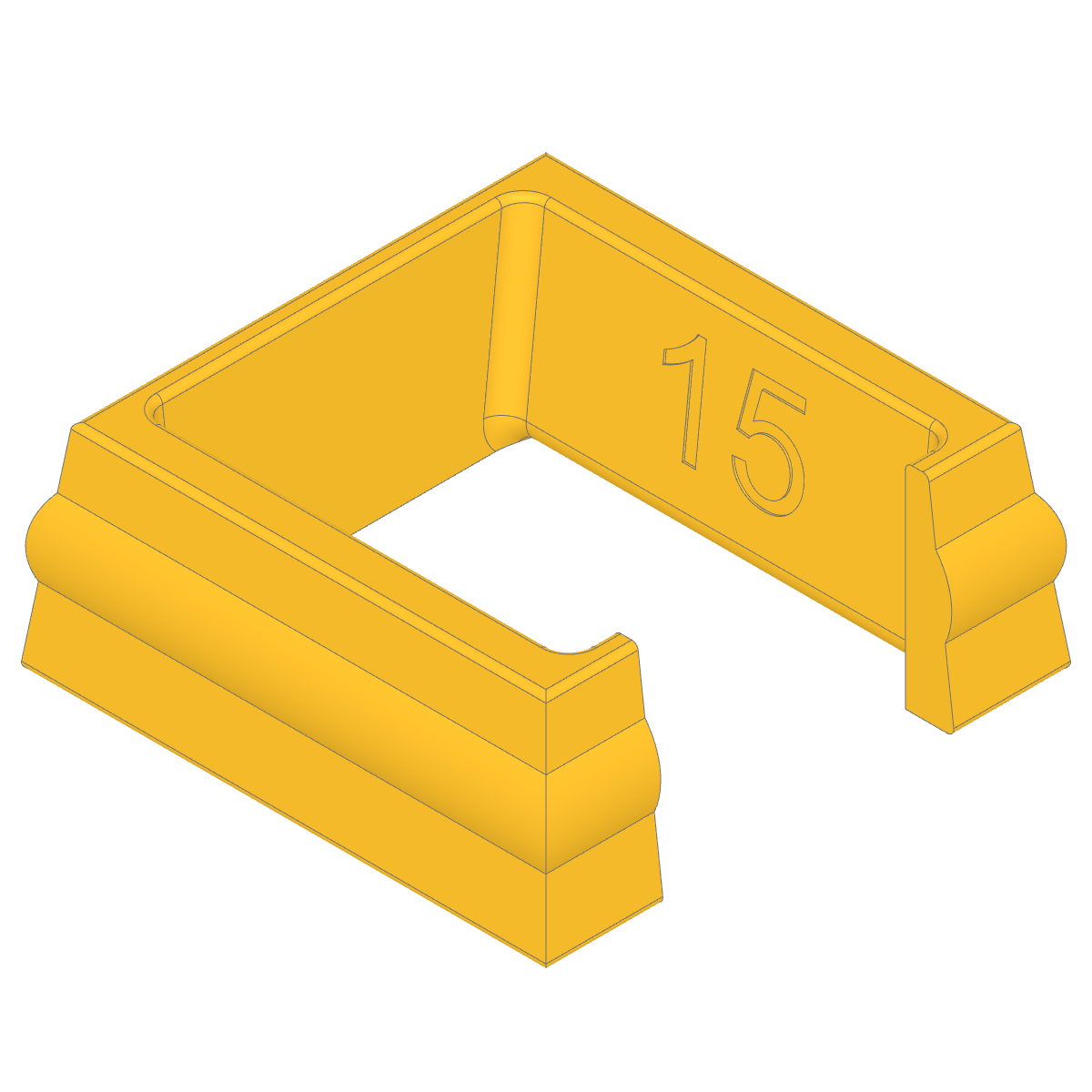
In this example:
- For normal builds, the artifact behaves like any other and uses
model. - When versioned models are enabled (e.g. in a development workflow), tools can use
versionedso each printed part is clearly marked with the build version, helping you track small geometry changes without visually cluttering the final artifact.